
1 min read
Notifications
This section covers the administration of notifications in Weissr, which are vital communication tools to ensure prompt information sharing. Notifications keep stakeholders informed of important developments, enabling swift actions without delays. Weissr supports various notification types, delivered via email or in-app toast messages and customizable to individual preferences.
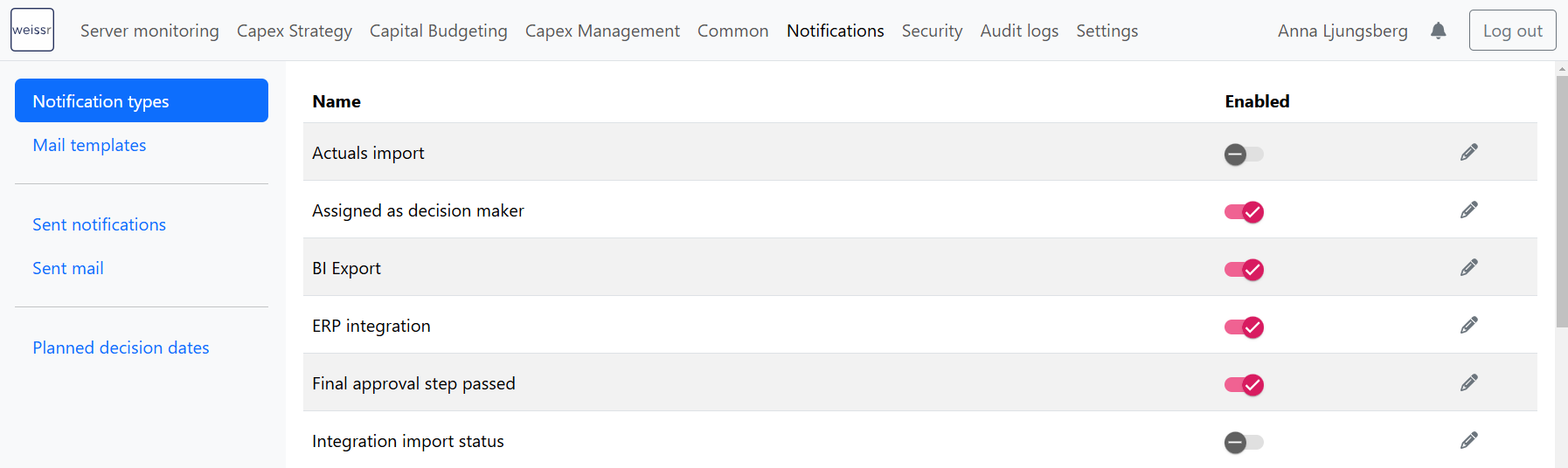 Notification configuration is common for Weissr Capex’s three modules.
Child Pages
For a detailed understanding of notification settings and management, refer to the following pages:
Notification Types – Explore the different types of notifications available in Weissr.
Managing Notifications – Learn how to customize and manage notifications based on your requirements.
Mail Templates – Configure and customize email templates for automated notifications.
Sent Notifications & Sent Mail – Review previously sent notifications and email logs.
Planned Decision Dates – Set up and manage reminders for approval deadlines in Capex Management.
These resources will help you configure notifications effectively to ensure timely communication and streamlined approval processes.
In this section
Notification Types
This page lists the various notifications in Weissr, organized per module for easy access and management. Each notification type is tailored to specific roles and responsibilities across Weissr's Cape
Managing Notifications
Notifications are essential for keeping your team informed about key actions and updates in your projects. This guide explains how to manage recipients for specific notification types, enable or disab
Mail Templates
Mail templates simplify the creation of notifications by providing consistent content across multiple notifications, minimizing manual effort. These templates seamlessly integrate with various notific
Sent Notifications and Sent Mail
The Sent Notifications and Sent Mail tabs provide a comprehensive overview of all system-generated notifications, whether delivered in-app or via email. These logs help you track communication across
Planned Decision Dates
The Planned Decision Dates tab helps you stay on top of approval deadlines by sending automated reminders to decision-makers within the Capex Management Module . These reminders ensure that approvals
Ad-Hoc Notifications
Stay connected with your users in real time by sending custom push and email notifications directly from the Notifications module. The Ad-hoc notifications tab allows admins to quickly craft and sched
Notification configurations
The notification engine is a centralized way to configure notifications in Weissr Capex. Instead of a fixed list of notification types wired into individual features, an administrator creates a notifi